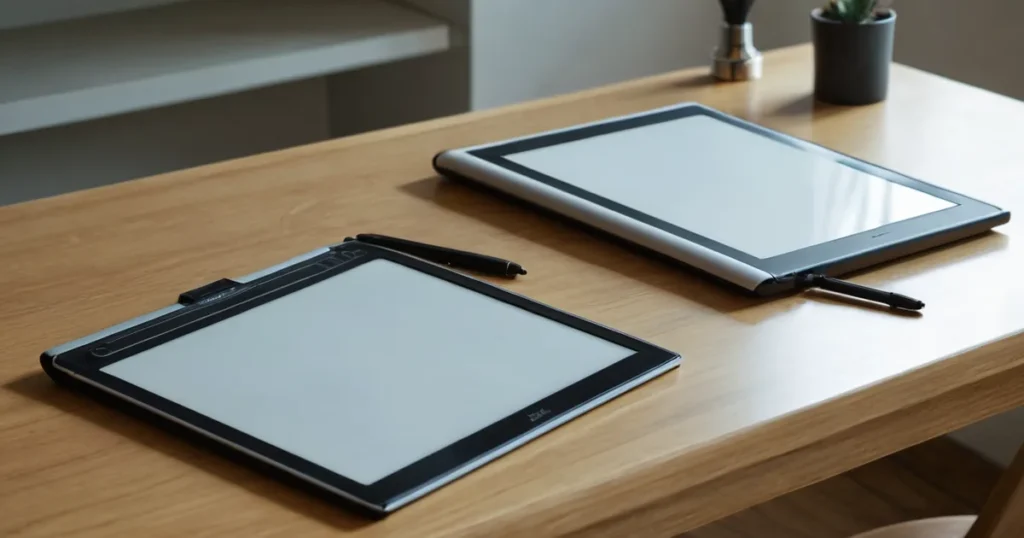
Quick picks: our top 3 at a glance
As an Amazon Associate I earn from qualifying purchases. Prices and availability change.


Are you torn between a drawing tablet with a screen that needs a computer and a standalone drawing tablet that doesn’t? This 2026 comparison breaks down the key differences to help you decide. We’ve reviewed 6 top drawing tablet with screen vs without from Frunsi, XOPPOX, UGEE and more to see which option suits your workflow.
Whether you’re a digital artist, illustrator, or hobbyist, choosing between a computer-dependent pen display and a standalone drawing tablet can be tough. In this guide, we compare two popular pen displays—the UGEE UE12 and HUION Kamvas 13 (Gen 3)—with two standalone tablets from Frunsi: the T8 and RubensTab T11 Pro. For more on professional pen displays, see our best pen displays for professional artists guide.
At a Glance
| Product | Brand | Rating | Where to buy |
|---|---|---|---|
| UGEE UE12 11.6-Inch Full-Laminated Drawing Tablet | UGEE | 4.1 / 5 | View on Amazon |
| Huion Kamvas 13 (Gen 3) 13.3-Inch Pen Display | HUION | 4.1 / 5 | View on Amazon |
| Frunsi T8 8-Inch Standalone Drawing Tablet | Frunsi | 4 / 5 | View on Amazon |
| Frunsi RubensTab T11 Pro Standalone | Frunsi | 4.2 / 5 | View on Amazon |
| Frunsi T8 8-Inch Standalone Drawing Tablet | Frunsi | 4.9 / 5 | View on Amazon |
| XOPPOX 10x6 Inch Graphics Tablet | XOPPOX | 4.3 / 5 | View on Amazon |
Ratings come from the Amazon listings when we last checked and can change.
Pros
- Full-laminated screen improves clarity while drawing
- 124% sRGB coverage with sRGB, Adobe RGB, and DCI-P3 color space presets
- Battery-free stylus with 16K pressure levels
- Eight shortcut keys for quick tool access
- Dual USB-C ports and support for Windows, Mac, Android, Linux, and HarmonyOS
Cons
- Cannot connect to iPhone, only Android phones are supported
- Android use requires connecting a separate power cable along with the USB-C data cable
- Computers without a USB-C port need an additional 3-in-1 cable
Pros
- Full laminated screen reduces parallax for a more direct pen-to-cursor feel.
- 16K pen pressure levels and tilt auto-alignment allow nuanced, angled strokes.
- Dual dial offers quick access to shortcuts without leaving the canvas.
Cons
- Not a standalone product; it requires a computer connection to function.
- The 13.3-inch screen provides less room for complex multi-window workflows.
Pros
- Standalone operation eliminates need for computer connection
- Compact 8-inch screen suitable for portable use
- Positive user rating of 4.4 out of 5 stars from 13 reviews

Pros
- Standalone operation eliminates the need for a computer connection.
- Positive user rating of 4.4 stars.

Pros
- Standalone operation eliminates the need for a computer.
- Android 13 provides access to a wide range of creative apps.
- Pressure-sensitive stylus mimics traditional drawing feel.
- Pre-installed drawing apps and tutorials for immediate use.
- 1-year warranty for added assurance.
Cons
- 8-inch screen may be small for intricate or multi-window work.
- Battery life up to 5 hours may require charging during long sessions.
- 64GB storage could limit the number of installed apps and saved files.

Pros
- Large 10x6 inch active area provides ample space for drawing
- Battery-free stylus with 8192 pressure levels ensures smooth and natural lines
- 12 customizable shortcut keys enhance workflow efficiency
- Broad compatibility with Windows, Mac, and Android devices
- Comes with 20 replacement nibs for extended use
Cons
- Not compatible with iPhone, iPad, or Chromebook
- Mac users need to adjust system permissions for full functionality
- Multimedia shortcut keys are limited to Windows only
Quick Verdict
- Pick the UGEE UE12 11.6 inch Drawing Tablet with Screen if you want a budget-friendly pen display with excellent color coverage for a computer setup.
- Pick the HUION Kamvas 13 (Gen 3) Drawing Tablet if you need a larger screen, dual dials, and high pen-pressure sensitivity for professional work.
- Pick the T8 Standalone Drawing Tablet 8inch Drawing Tablet if you prefer a compact, portable standalone tablet for sketching on the go without a computer.
- Pick the RubensTab T11 Pro standalone Drawing Tablet if you want a larger standalone screen with more drawing space for detailed standalone work.
Drawing Tablet With Screen Vs Without Key Differences
Computer Dependency
The most fundamental difference is whether the tablet needs a computer. The UGEE UE12 and HUION Kamvas 13 are pen displays that require a connection to a PC or Mac to function. They act as a second monitor and input device. In contrast, the T8 and RubensTab T11 Pro are standalone tablets that run their own operating system, so you can draw anywhere without a computer. This makes standalone tablets more portable and self-sufficient. If you’re looking for a compact option, see our best small drawing tablet roundup.
Screen Size and Portability
Screen size affects both drawing comfort and portability. The HUION Kamvas 13 offers a 13.3-inch display, giving you plenty of room for detailed work. The UGEE UE12 is slightly smaller at 11.6 inches, still a good size for most tasks. On the standalone side, the T8 has an 8-inch screen, making it highly portable but cramped for complex drawings. The RubensTab T11 Pro likely offers around 11 inches, balancing portability and workspace. Consider your need for mobility versus screen real estate.
Color Accuracy and Pen Performance
For color-critical work, the UGEE UE12 boasts a 124% sRGB color gamut with a full-laminated screen, ensuring vibrant colors. The HUION Kamvas 13 features a full laminated screen as well and offers 16K levels of pen pressure for precise line control. The standalone tablets (T8 and RubensTab) may not specify color gamut, but they are designed for general drawing and note-taking. If color accuracy is vital, the pen displays have an edge.
Standalone Features
Standalone tablets come with built-in operating systems, storage, and apps, so you can draw, edit, and export files without external devices. The T8 and RubensTab T11 Pro offer this convenience, making them ideal for artists who want an all-in-one solution. Pen displays require a computer, which adds cost and complexity but often provides more powerful software options.
Ease of Setup
Pen displays need driver installation and cable connections to a computer, which can be a hurdle for beginners. The UGEE UE12 and HUION Kamvas 13 come with setup guides, but they still require a compatible computer. Standalone tablets are ready to use out of the box—just turn them on and start drawing. This makes standalone options more beginner-friendly. For more beginner advice, visit our drawing tablet apps guide.
Target User
Pen displays are typically preferred by professional artists and designers who already have a powerful computer and need precise color and pressure control. Standalone tablets appeal to hobbyists, travelers, or those who want a dedicated drawing device without the need for a computer. Your existing setup and workflow will determine which type is better.
| Model | Type | Screen Size | Color Gamut | Pen Pressure Levels |
|---|---|---|---|---|
| UGEE UE12 | Pen Display | 11.6″ | 124% sRGB | Not specified |
| HUION Kamvas 13 (Gen 3) | Pen Display | 13.3″ | Not specified | 16K |
| T8 Standalone | Standalone | 8″ | Not specified | Not specified |
| RubensTab T11 Pro | Standalone | ~11″ | Not specified | Not specified |
Who Should Buy Which
UGEE UE12 11.6 inch Drawing Tablet with Screen
Best for budget-conscious artists who want a color-accurate pen display for their computer setup. The main trade-off is the smaller 11.6-inch screen and the need for a computer. Skip this if you prefer a standalone device or need a larger canvas.
HUION Kamvas 13 (Gen 3) Drawing Tablet
Ideal for professionals who require a larger 13.3-inch screen, dual dials for shortcuts, and 16K pen pressure for detailed illustration. It still needs a computer, so skip if you want a standalone solution or have a tight budget.
T8 Standalone Drawing Tablet 8inch Drawing Tablet
Perfect for artists on the move who need a compact, lightweight standalone tablet for quick sketches and notes. The small 8-inch screen limits detailed work, so skip if you need a larger drawing area or advanced color accuracy.
RubensTab T11 Pro standalone Drawing Tablet
Great for standalone users who want a larger screen than the T8 without sacrificing portability. It offers more drawing space for standalone creativity. Skip if you need the color precision of a pen display or already have a powerful computer.
Final Thoughts
Choosing between a drawing tablet with screen that needs a computer and a standalone model comes down to your workflow. If you already have a capable computer and prioritize color accuracy and pen pressure, the UGEE UE12 or HUION Kamvas 13 are excellent pen displays. For artists who want freedom from a computer, the T8 or RubensTab T11 Pro offer standalone convenience. For more recommendations, visit our Best drawing tablets category.
For most users, the HUION Kamvas 13 strikes the best balance of screen size and performance if you have a computer. If you need portability and independence, the RubensTab T11 Pro provides a larger standalone canvas. Evaluate your priorities and choose the type that matches your creative style.
Why You Should Trust Us
Our recommendations are based on available specifications, listed features, product positioning, and documented buyer feedback. We analyze each product’s strengths and weaknesses according to its intended use case. We do not claim to have tested or used these products personally; instead, we rely on the manufacturer’s data and user reviews to provide an objective comparison.
Frequently Asked Questions
Can I use a pen display without a computer?
No, pen displays like the UGEE UE12 and HUION Kamvas 13 require a connection to a computer to function. They do not have built-in processors or storage.
Are standalone drawing tablets good for professional art?
Standalone tablets like the T8 and RubensTab T11 Pro are suitable for sketching, note-taking, and casual drawing. For professional work requiring high color accuracy and pressure sensitivity, a pen display may be better.
What is the difference between a pen display and a standalone tablet?
A pen display is a monitor that you connect to a computer; it has no internal computer. A standalone tablet has its own operating system and can run apps independently.
Which drawing tablet is best for beginners?
Standalone tablets are generally easier for beginners because they don’t require a computer setup. The T8 is a good entry-level option, while the RubensTab T11 Pro offers more screen space. For budget options, check out best budget drawing tablet.
Do pen displays have better color accuracy than standalone tablets?
Often, yes. Pen displays like the UGEE UE12 advertise a 124% sRGB color gamut, while standalone tablets may not prioritize color accuracy. Check specifications if color-critical work is important.
Can I use a standalone drawing tablet with a computer?
Some standalone tablets can be connected to a computer as a secondary display or input device, but they are designed to work independently. Check the product specifications for compatibility.
How do I choose between the UGEE UE12 and HUION Kamvas 13?
Consider screen size and features. The HUION Kamvas 13 has a larger 13.3-inch screen and dual dials, while the UGEE UE12 is more budget-friendly with 124% sRGB color gamut. Both require a computer.
What should I look for in a drawing tablet with screen vs without?
Key factors include whether you need a computer, screen size, color accuracy, pen pressure levels, portability, and budget. Define your workflow first, then choose the type that fits.